The platform
One company system.
Not five logins.
Finance, Operations, HR, Projects and Learning run on one API and one application. The login, the company structure, the roles, the approvals engine, the audit trail and the recycle bin exist once. That is the difference between a suite and a bundle.
The foundation
Five modules standing on one base
Each module is its own column. All five stand on the same foundation, and that foundation is what makes them one product.
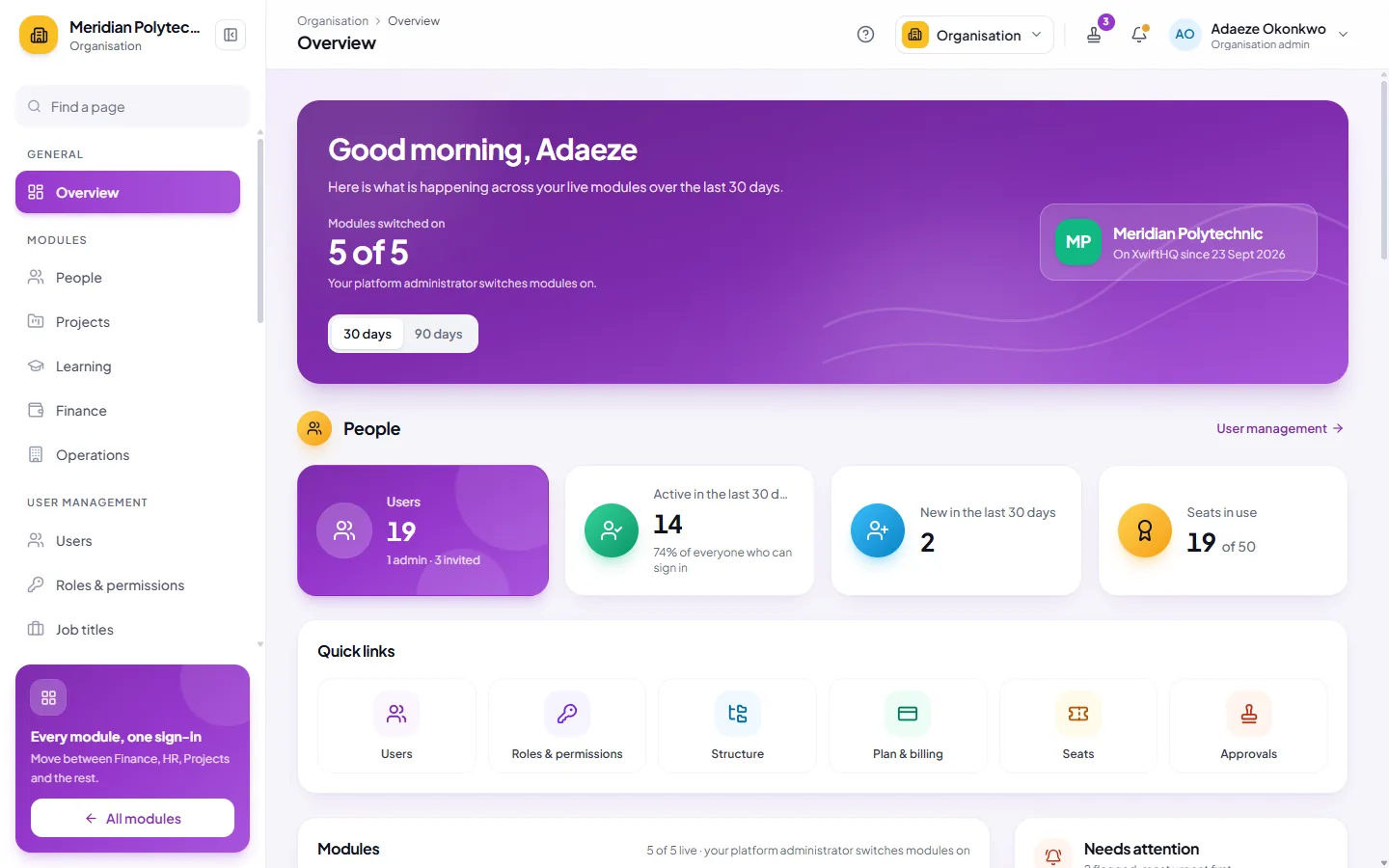
The base is drawn wider than the columns because it holds them up. A person is added once and every module knows them. Units, cost centres and job titles are set once in the organisation console, and nobody keeps a second copy. Approval workflows are defined once, so a limit changed for purchasing changes everywhere it applies.
Above the base the five modules differ, and their colours tell them apart. Below it nothing differs at all. That is why payroll, purchases and project spend land in one set of books, and why month end is a review rather than a rebuild.
One shared foundation
Shared by every module
Set it up once. Use it everywhere.
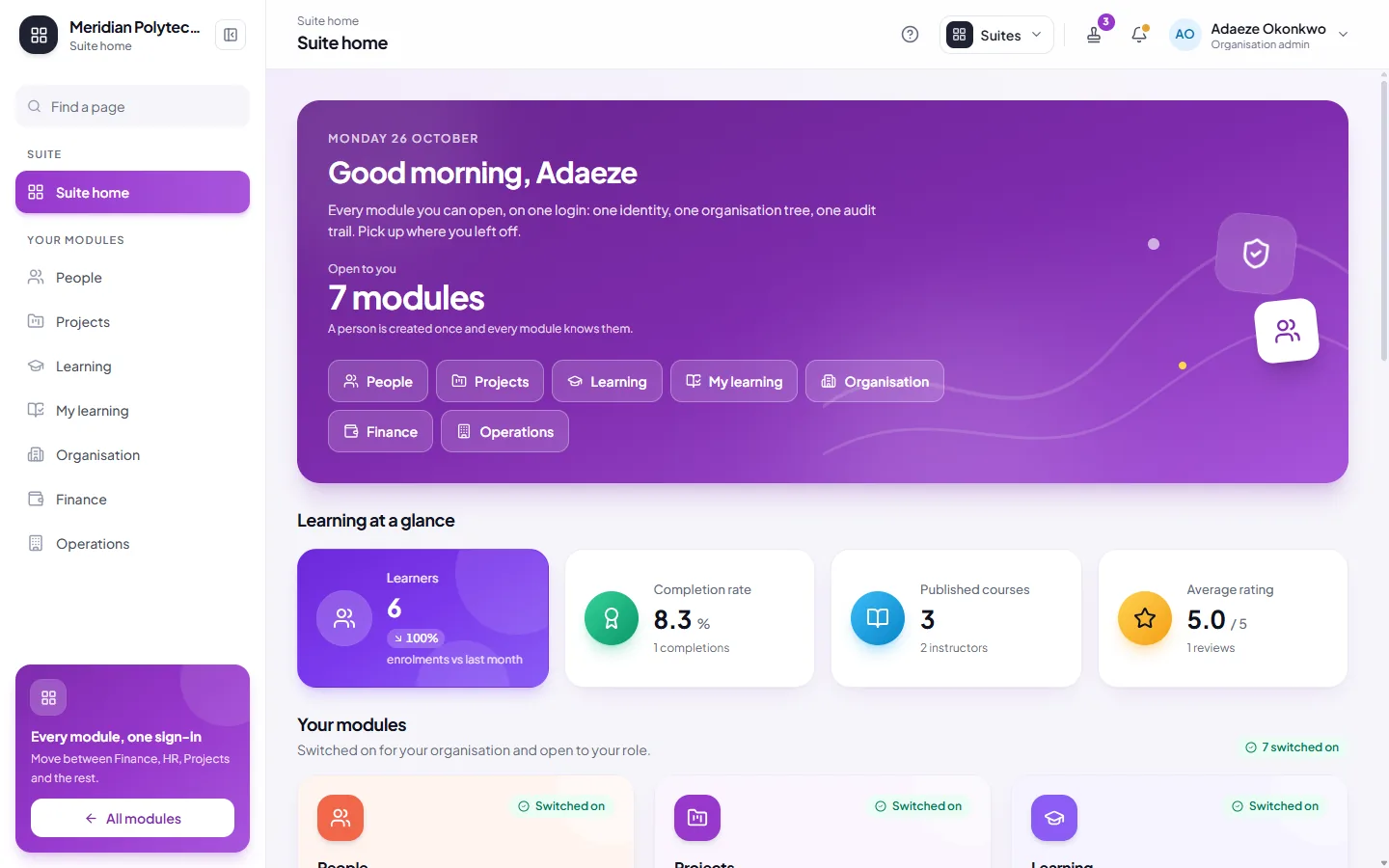
One login, one company structure, one set of roles, one approvals engine with a single inbox and delegation, one audit trail, one recycle bin, verifiable documents and events between modules.
One login
A person is created once and logs in once to every module they are given. Large approvals ask for a second check before they go through.
One organisation structure
Units, cost centres and job titles are set once in the organisation console. HR staffs them, Finance budgets against them and Projects draws its teams from them.
One set of roles
Starter roles for every module, plus roles you define from a permission list generated from the product itself. Leavers lose their access automatically.
One approvals engine
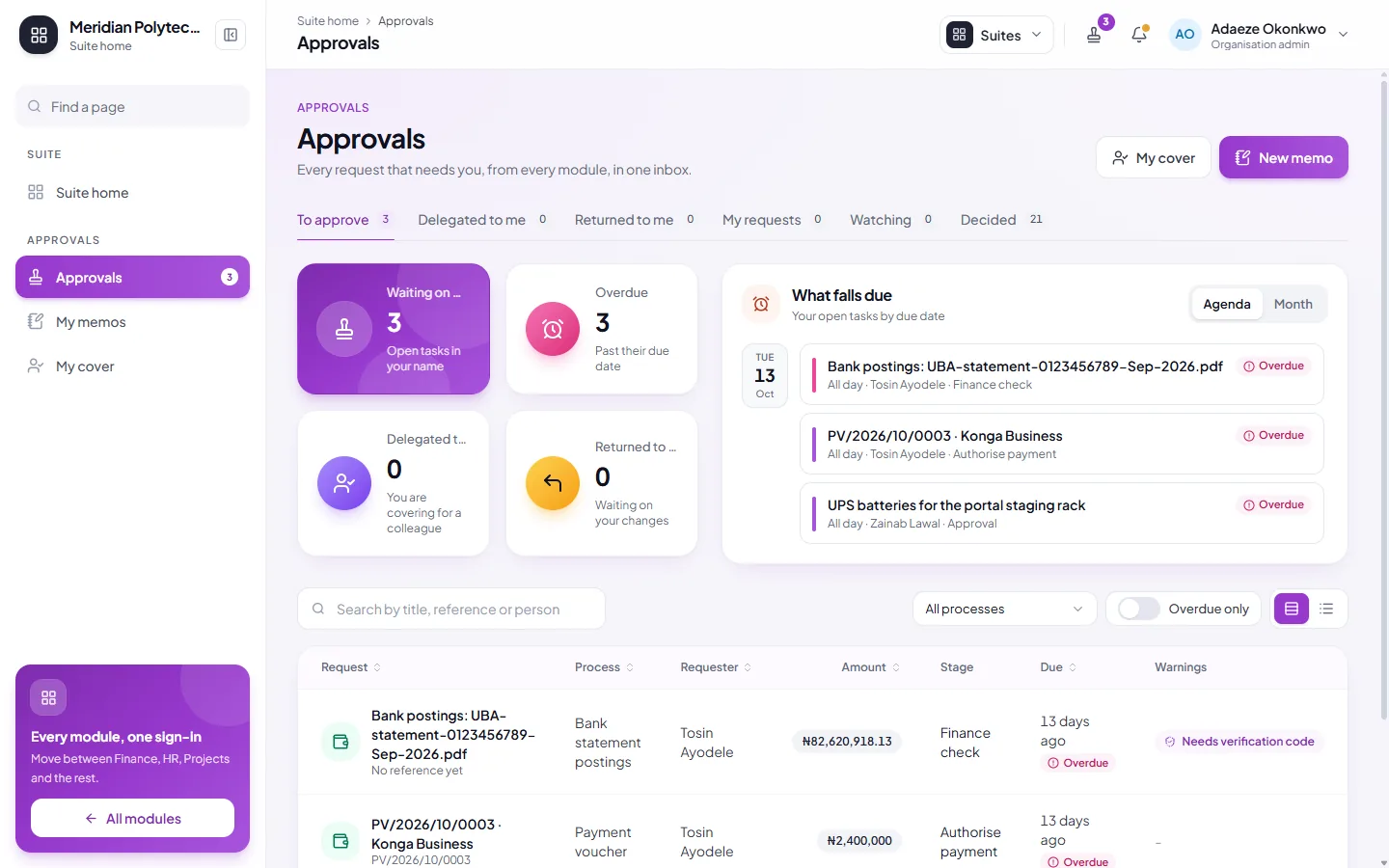
Each process (a purchase, a trip, a payment, a new role) gets the levels and amount bands your organisation chooses, set in one place instead of five.
One inbox, with delegation
Everything waiting on a person, from every module, in one approvals inbox. Delegation of authority covers anyone who is away, and the record says who acted for whom.
One audit trail
Every change in every module writes who, what and when to the same trail. Evidence for a payment and evidence for a contract come out of one place.
One recycle bin
Every delete asks first and lands in your organisation's recycle bin, where it can be restored. Stored secrets are the exception: removed means really gone.
Documents that verify themselves
Vouchers, memos, orders and reports print as PDFs on your letterhead with a QR code. Anyone holding the paper can check it is genuine.
Modules that tell each other
An approved payroll posts its journal, an unreturned laptop becomes a final pay deduction, and an approved voucher books the asset. Each event is delivered once, and only to modules you have switched on.
The modules
The five modules
Finance, Operations, HRM, Projects and Learning. Each is a full product and all five are live. They share the foundation above, which is why running two of them feels nothing like buying two tools.
XwiftHQ Finance
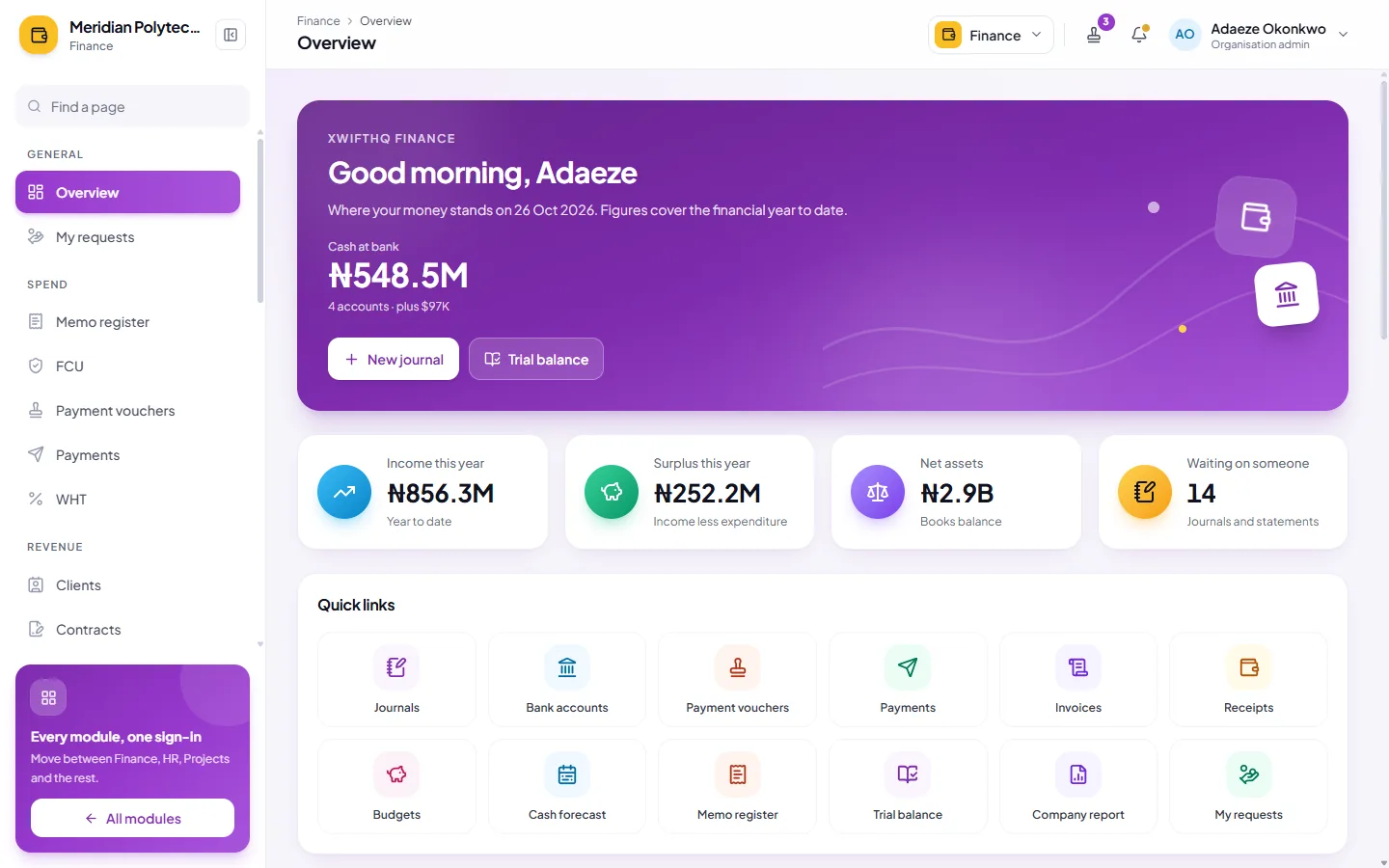
The ledger, spend control and reporting you close your books on
Run your general ledger, banking and reconciliation, spend-to-pay (payment vouchers and withholding tax included), revenue and receivables, budgets, project funds and fixed assets in one place. Payroll, purchases and trips post to the same books, so month-end is a review, not a rebuild.
- Books that actually close
- Every payment checked first
- Reconciliation that runs on your rules
XwiftHQ Admin
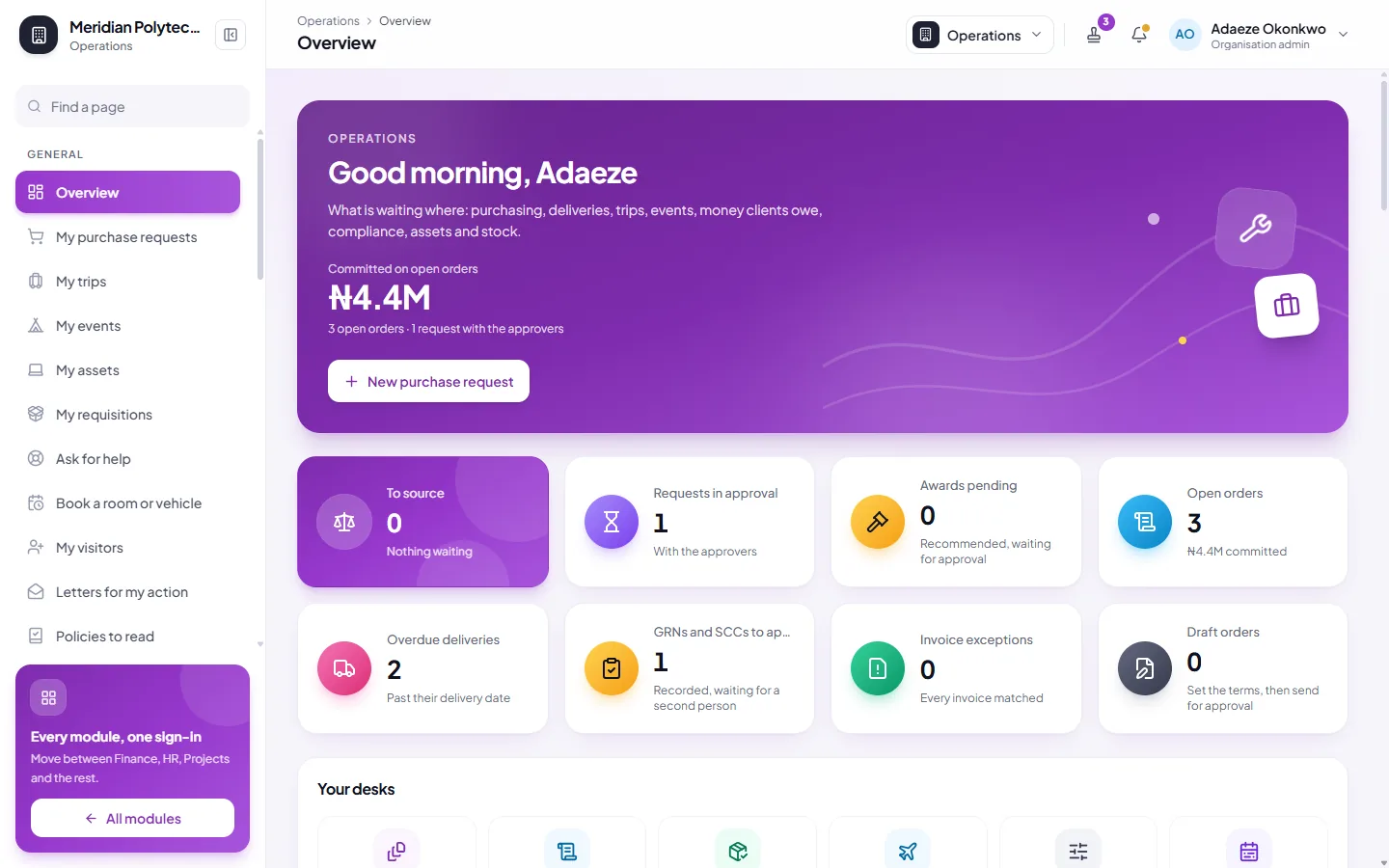
Admin & Operations for buying, travel, assets, stores, fleet and facilities
Procurement from requisition to goods received, the travel desk, events, the asset register, stores and stock, maintenance, facilities, fleet, the service desk, compliance and controlled documents. Everything it takes to run your company day to day, on the same approvals and the same books.
- From requisition to goods received
- A travel desk that follows policy
- Know who holds every asset
XwiftHQ HRM
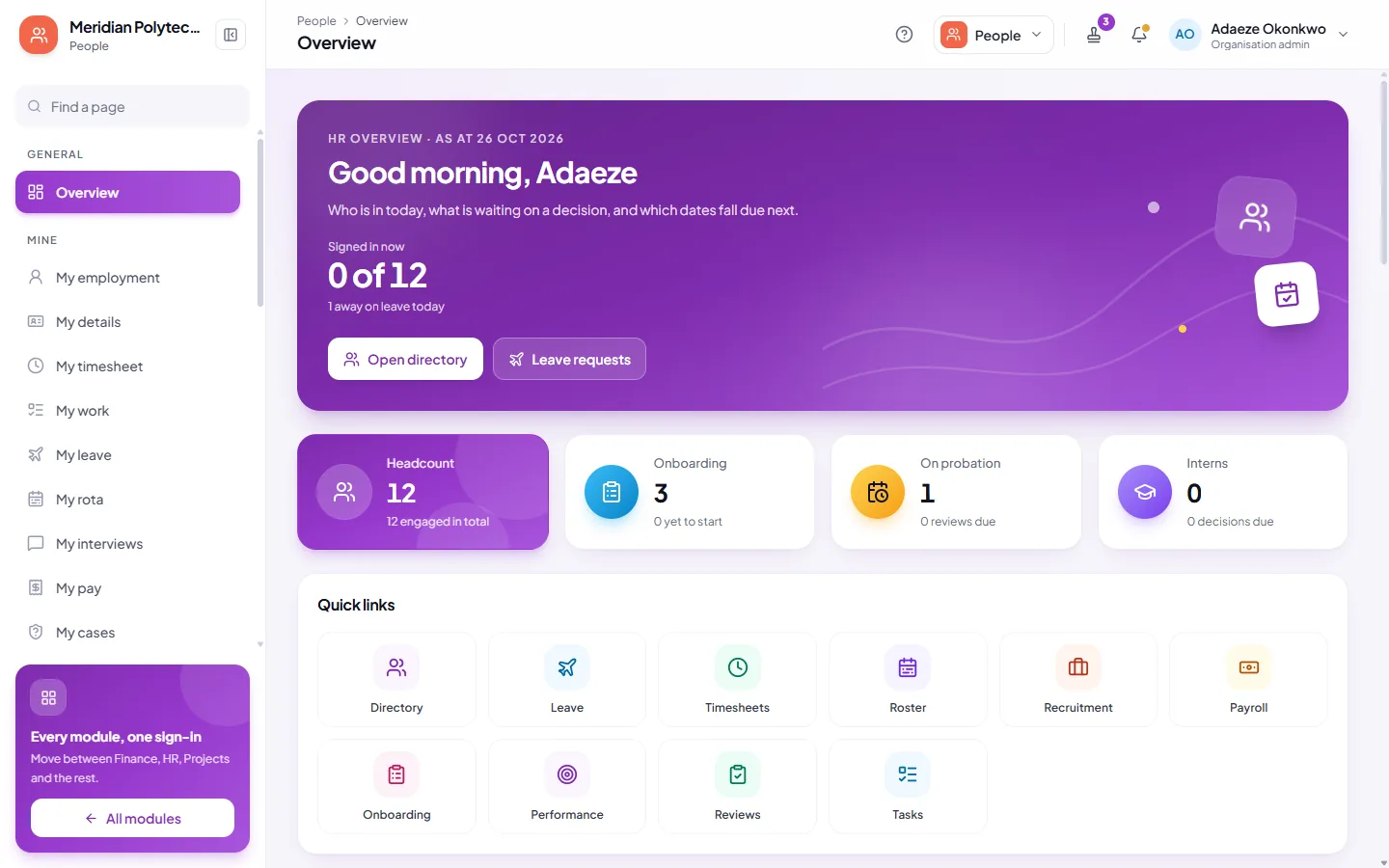
Every employment event, from offer to final pay, on one record
Directory, onboarding, contracts, leave, attendance, rotas, timesheets, payroll with statutory deductions, recruitment, performance, employee relations and leavers. All on one employee record, with self-service for every member of staff.
- One employee record
- From requisition to first day
- Leave, rotas and time in sync
XwiftHQ Projects
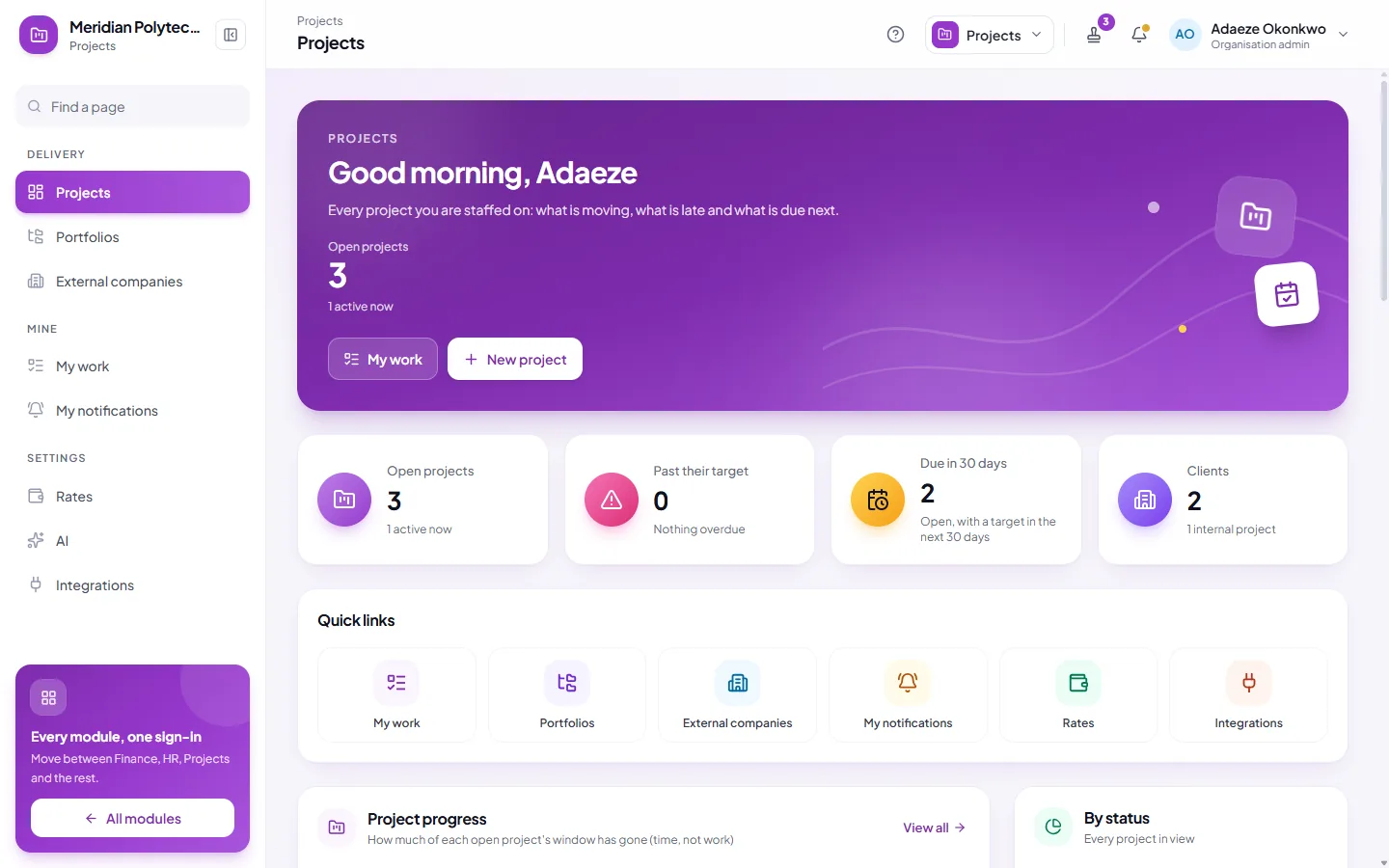
Plan, test and deliver projects, and know what they cost
Story boards, sprints, testing, schedules and the critical path, plus team performance, rate cards and a Finance tab that sets expected expense against actual. Clients follow along on a share link, and your team gets updates in Slack, WhatsApp or email.
- Stories on a board
- AI that plans with you
- Testing built in
XwiftHQ LMS
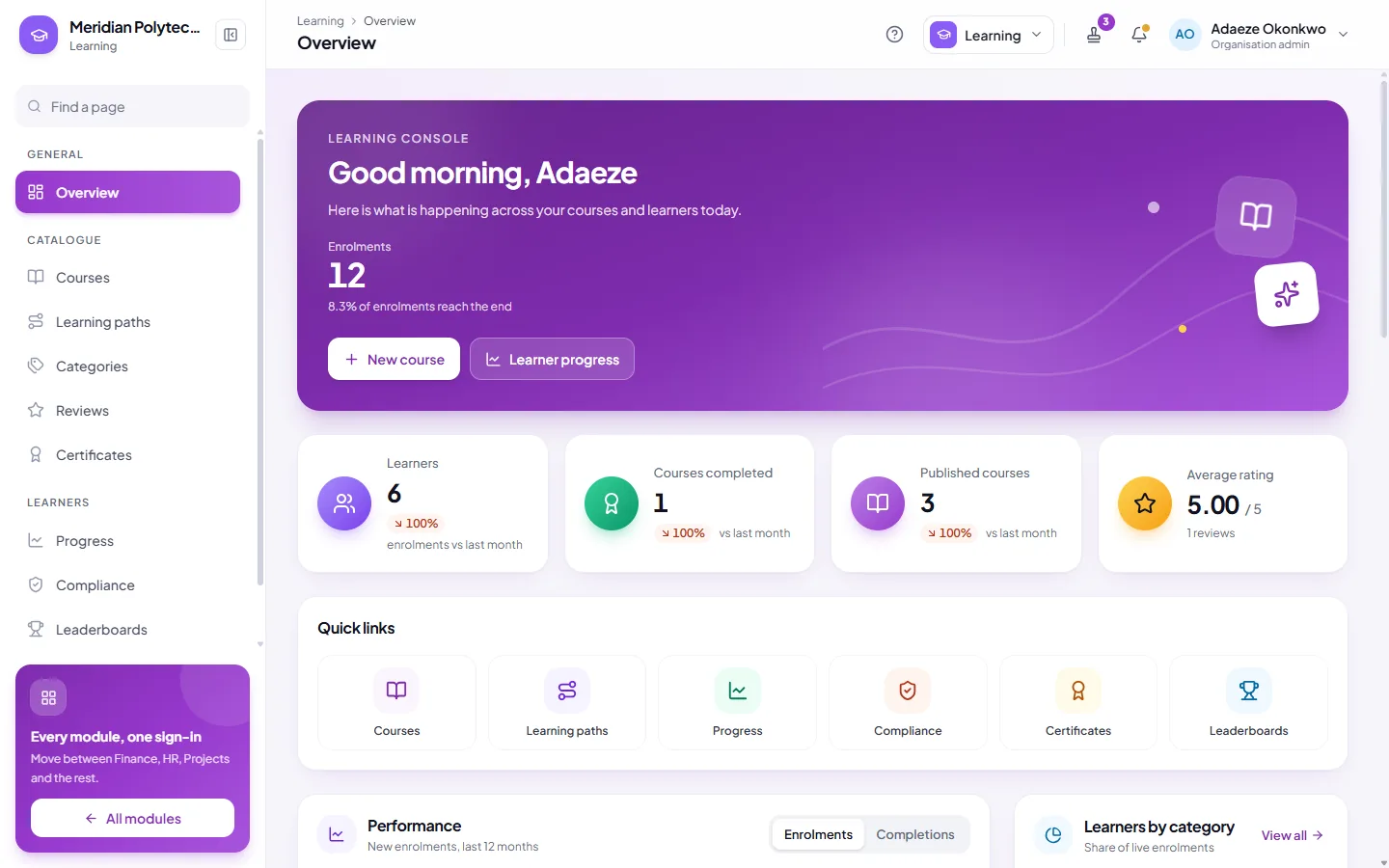
Train your staff, prove compliance and issue certificates anyone can verify
Courses, learning paths and mandatory training with due dates for your staff. A compliance report shows who's overdue, and anyone can check a certificate by its serial. All branded as your company.
- Mandatory training, tracked
- A learning path for every role
- Video, article, document and quiz
Architecture
What sits under the five modules
Four layers: what people open, what every module shares, where the guarantees are enforced, and what it all runs on.
Layer 1
Surface
What a person opens. Finance, Admin & Operations, HRM, Projects and LMS, and the launcher that moves between them without a second sign-in.
- XwiftHQ Finance
- XwiftHQ Admin
- XwiftHQ HRM
- XwiftHQ Projects
- XwiftHQ LMS
- In-app suite launcher
Layer 2
Shared services
Written once, called by all five. This layer is the difference between a suite and a bundle.
- One sign-in, step-up check
- Roles & permissions
- Units & cost centres
- Approval engine
- Unified inbox & delegation
- Audit trail
- Recycle bin
- Branded PDFs with QR
- Numbering
- Document repository
- Clients & vendors
- Notifications in app, by email, Slack and WhatsApp
Layer 3
Platform core
Where the guarantees live. Tenancy is enforced here, not in the interface, so a request that escapes its scope fails at the source.
- Multi-tenant data model
- Per-organisation isolation
- Idempotent money transitions
- Cross-module event outbox
- Job queue
Layer 4
Foundation
One API and one application in front of it. The session token is set and read server-side and never reaches browser JavaScript.
- Laravel API
- Next.js BFF
- Token in an httpOnly cookie
- Never readable by browser JavaScript
Security
Where the guarantees are enforced
Each of these is a mechanism, not a promise, and each one can be checked. Tenancy comes first because everything else depends on it.
Multi-tenancy and isolation
Every record in every module is scoped to an organisation. The boundary is enforced in the API rather than in the interface, so a request that escapes its scope fails at the source rather than being hidden by a filter.
Roles and delegated authority
Roles are shared across the suite, and your approval workflows decide who may approve what and up to which amount. Delegation is recorded, and high-value approvals ask for a second sign-in check.
One audit trail
Every mutation writes the actor, the record and the time to the same log. Evidence for a policy attestation and evidence for a ledger posting are the same query against the same table.
Residency and retention
Documents and records carry the statutory period they belong to, and disposal runs against a retention schedule rather than happening by accident. What was kept, and why, is answerable.
Encrypted in transit and at rest
Traffic is TLS end to end and stored data is encrypted at rest. Credentials for third-party channels are write-only: an owner configures them and no response ever returns them.
The session model
The API token lives in an httpOnly cookie set by the Next.js layer and never reaches browser JavaScript. A script injected into the page cannot read a token it cannot see.
Idempotent money transitions
A payment or a posting that is retried lands once. Financial state changes are keyed so a duplicated request is recognised as the same request rather than applied a second time.
Per-organisation branding
Logo and accent colour per organisation, with the contrast check running as the administrator types. An accent too pale to read never reaches the people who would have to read it.
One dataset
Five flows that cross the modules
A module that cannot name what it hands to the next is just an app sharing a login. These are the handovers, in the order they happen.
Request → payment
- Admin · Purchase requisition raised
- Admin · Quotations, award and purchase order
- Admin · Goods received
- Finance · Invoice matched, voucher approved
- Finance · Paid on a bank file and posted
Payroll → ledger
- HRM · Payroll run approved
- Finance · Journal posted by cost centre
- Finance · Net pay scheduled to the bank
Work → cost
- Projects · Hours logged against stories
- Admin · Trips and events charged to the project
- Finance · Spend committed against project funds
- Projects · Expected against actual, shown on the project
Hire → productive
- HRM · Offer accepted, onboarding starts
- Admin · Laptop and access handed over
- LMS · Mandatory training assigned
- Projects · Added to the project team
Exit → final pay
- HRM · Leaver recorded
- Admin · Assets cleared on exit clearance
- Finance · Advances retired
- HRM · Final pay released
Getting started
Switch on all five, or grow into them
Many companies start with the whole workspace on day one. Others begin where it hurts most and add the rest later. Either way, each new module picks up what the earlier ones created.
- 1
Set up the company once
Units, cost centres, job titles, roles and approval workflows go into the organisation console. Every module you switch on reads them from there.
- 2
Switch on the modules
All five at once, or the ones that hurt most first. That is often Finance and Operations, because that is where the money and the paperwork live. A module added later picks up everything already set up.
- 3
Bring the people in
Staff go into HRM once, with their unit and job title. They sign in to every module they are given, and leavers lose access when they leave.
- 4
Run it as one
Requests go through one inbox, payroll and purchases post to one set of books, projects see their real spend, and every step lands in the same audit trail.
Integrations
What XwiftHQ connects to
Every connection below works today, from your team's Slack channel to the bank file your treasury uploads.
- SlackProject assignments and updates in the team's channel
- WhatsAppNotifications for the people who ask for them
- Gmail and Zoho MailProject email sent from your own mailbox
- Cloudinary, Google Drive and S3Your media library on your own storage
- Bank statementsImported, matched by your rules and reconciled
- Bank payment filesPayment schedules and net pay, ready to upload
- Excel and PDFReports, performance sheets and the company finance report
- Document verificationA QR code on every branded PDF that anyone can check
- Bulk importStaff, backlogs and statements from a file
- One APIThe same API behind every screen, scoped to your organisation
Questions
Good questions to ask first
Yes. Finance, Operations, HRM, Projects and Learning are all live and run on real data. Each can be switched on for your organisation by itself, and the shared foundation comes with every one.
No. Most of the value is in how they connect, but each module stands on its own. You never pay twice for the login, the organisation structure, the approvals engine or the audit trail. Those come with the platform.
Through one approvals engine. Your organisation defines the workflow for each process once: the levels, the amount bands and who signs. Every request lands in the approver's single inbox, delegation covers absences, and large approvals ask for a second check at sign in.
Mostly it does not need to, because it is one dataset. Where a step really is an event (a payroll run posting its journal, or an unreturned asset becoming a final pay deduction) the event is delivered once, and only to modules your organisation has switched on.
Yes. Every record in every module belongs to an organisation, and that boundary is enforced in the API, not just the interface. Two organisations on the same deployment cannot reach each other's records.
Every delete asks for confirmation, and the record goes to your organisation's recycle bin where it can be restored. Stored secrets such as integration keys are the exception: removing one really wipes it.
Run the whole company from one workspace
All five modules are live on the same foundation. Switch on what you need today and add the rest without moving a single record.