One employee record
Create a person once. Contracts, documents with expiry dates, leave balances, pay, appraisals, cases and training all hang off that one record, so the answer never depends on which screen you asked.
XwiftHQ HRM
Directory, onboarding, contracts, leave, attendance, rotas, timesheets, payroll with statutory deductions, recruitment, performance, employee relations and leavers. All on one employee record, with self-service for every member of staff.
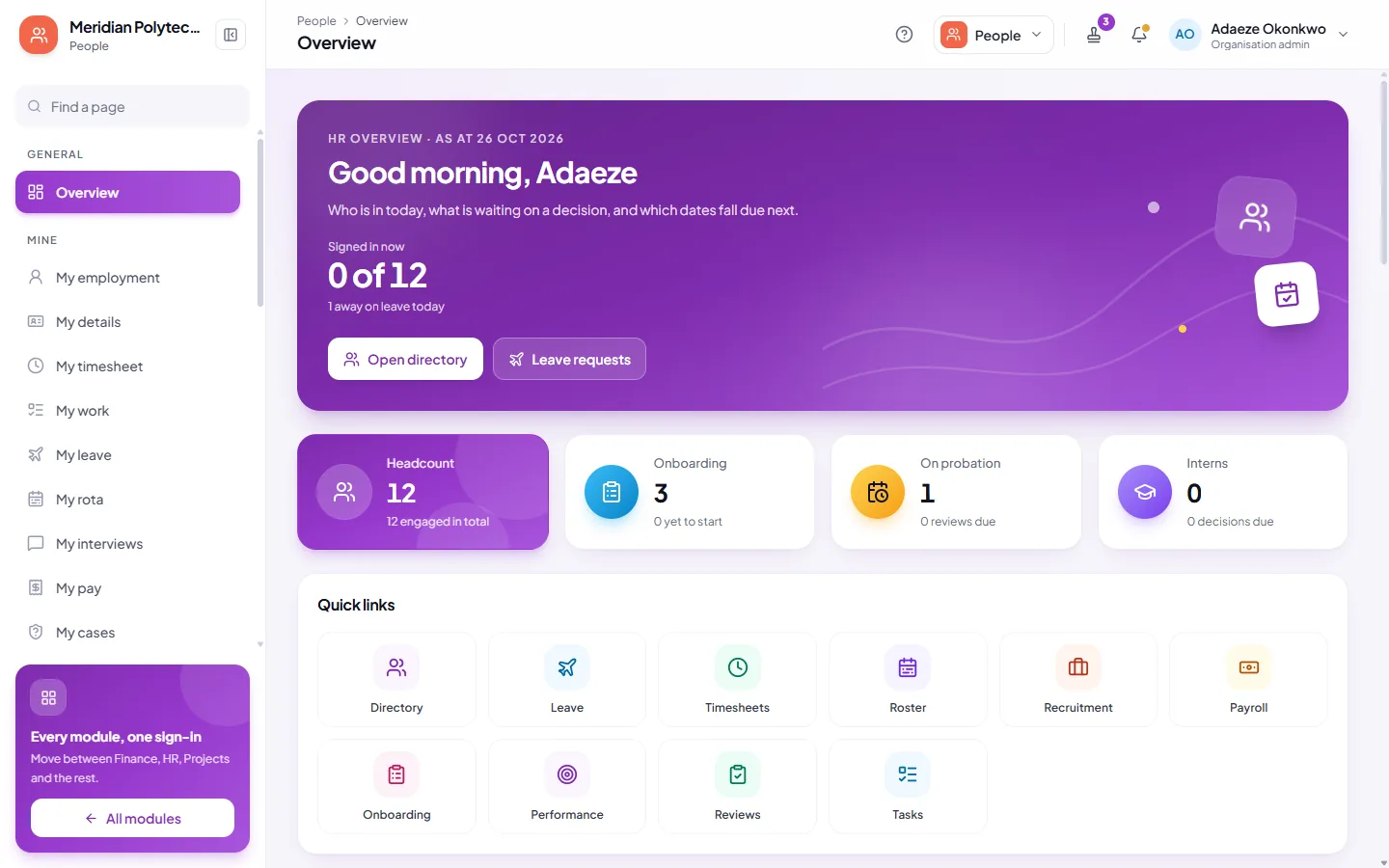
Facts about how the module is built, each one something you can check in the product.
What it does
The full list comes further down. These are the decisions that shaped the module.
Create a person once. Contracts, documents with expiry dates, leave balances, pay, appraisals, cases and training all hang off that one record, so the answer never depends on which screen you asked.
Vacancies start as requisitions. Candidates move through interviews to an offer, and an accepted offer becomes an onboarding journey with probation milestones and a contract.
Leave types with balances and carry-over, shift rotas with coverage, attendance and timesheets all feed each other. Approved overtime lands on the payslip, not in a spreadsheet.
Earnings and deduction elements, statutory deductions and payslips come from one run. The journal goes to Finance by cost centre, and net pay is paid on a bank file.
Goals, KPIs and milestones with real attainment, appraisal cycles, and compliance training shown right beside the review.
Exit interview, clearance checklist and final settlement. Final pay is held while assets are unreturned or advances unretired, so nobody leaves owing something the company forgot.
Inside the product
Real screens from a demo company running XwiftHQ. Nothing here is mocked up.
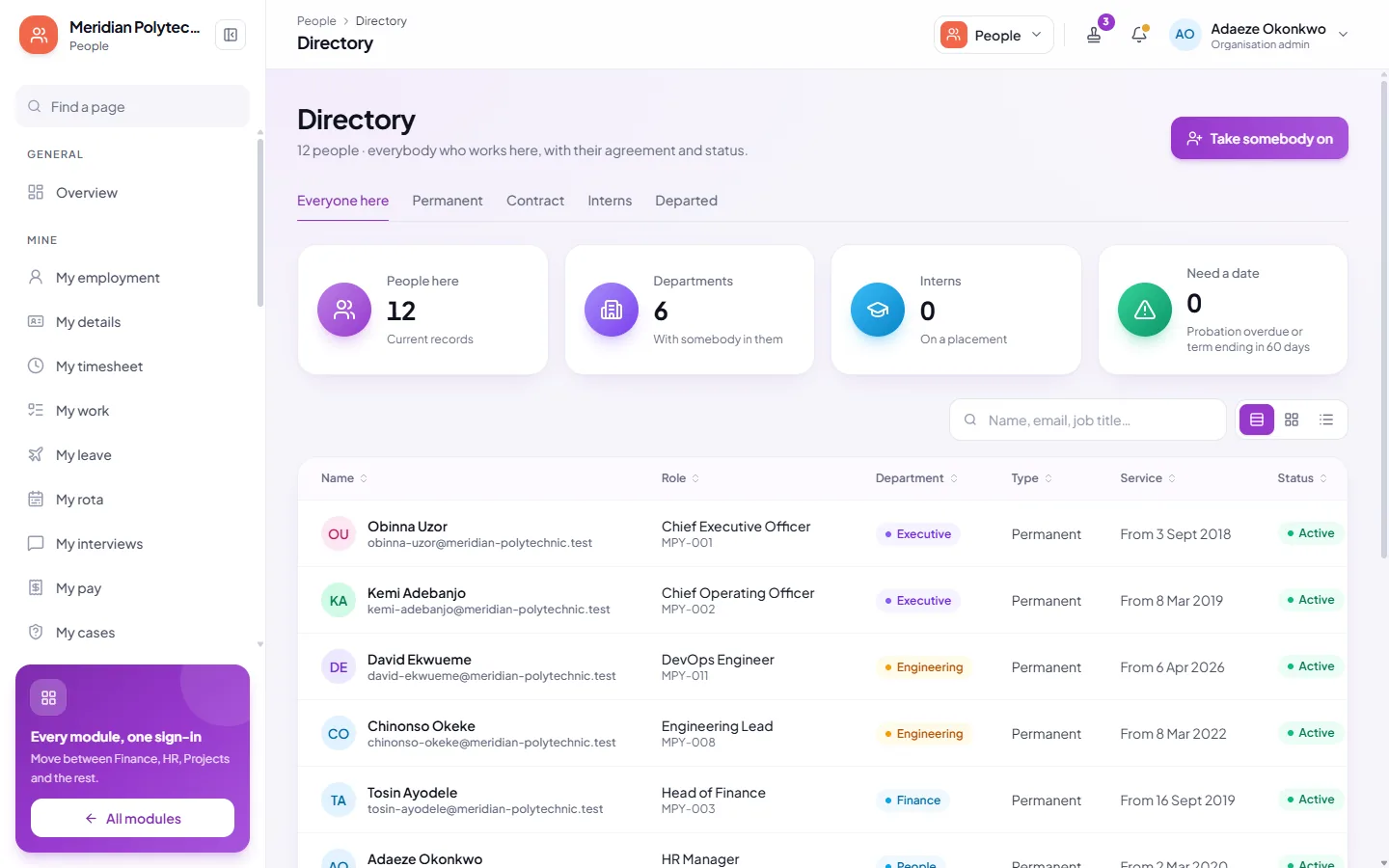
People
Staff, interns and contractors with their department, role, supervisor and status. Open anyone to see their contract, probation, leave, pay and documents.
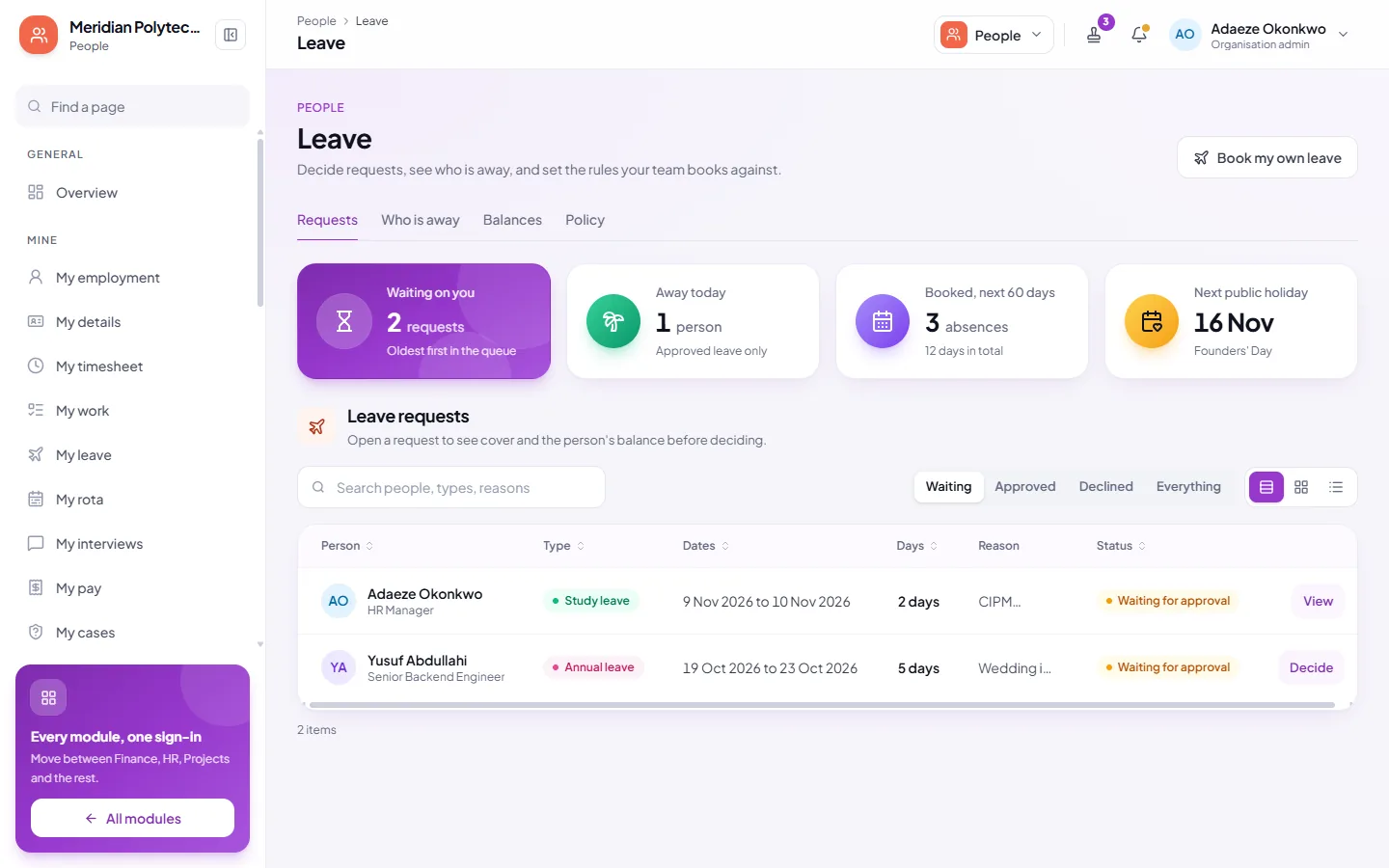
Leave
Each request shows the balance it would leave and goes to the right supervisor first. Approved days land on the team calendar and never count as absence.
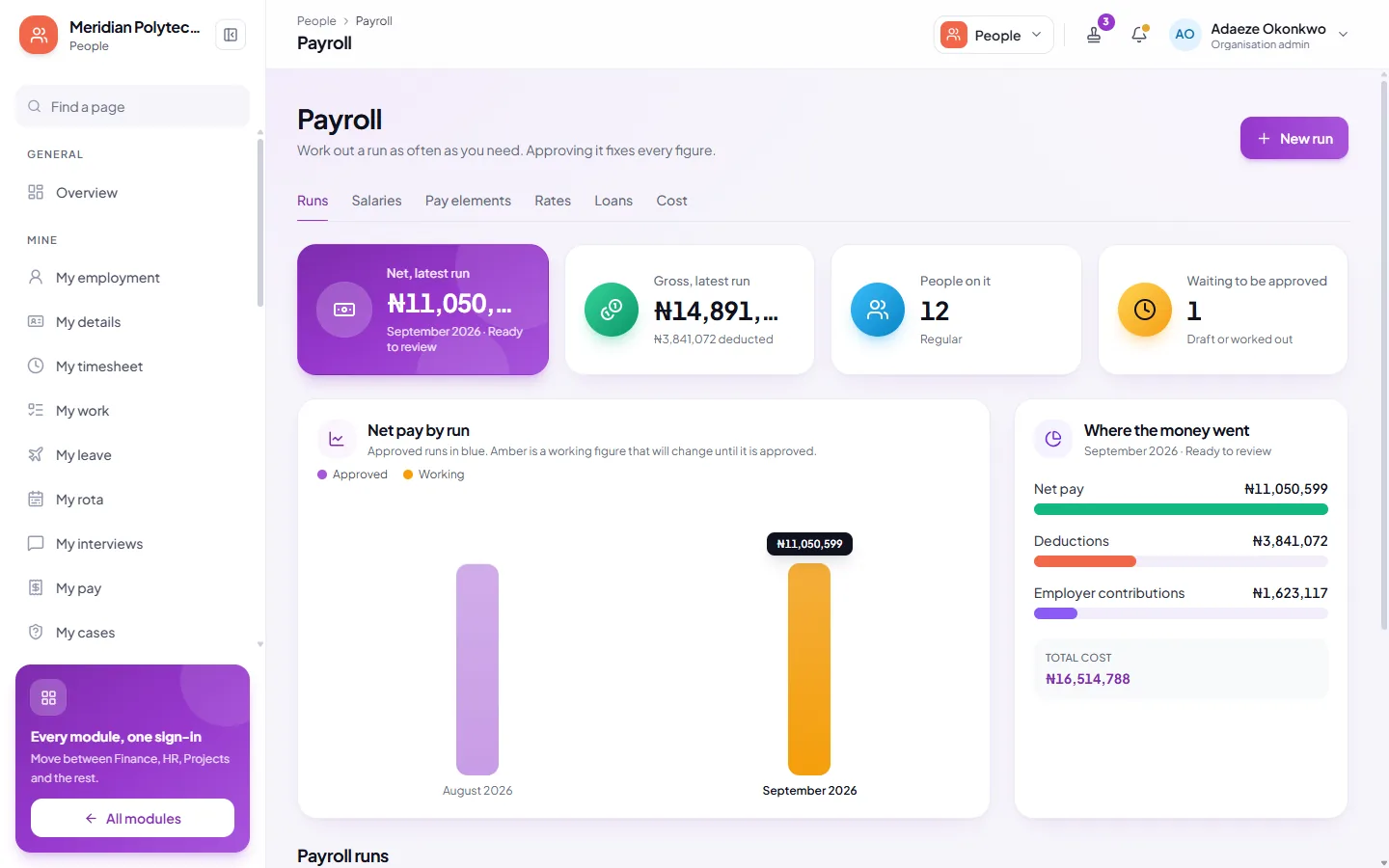
Payroll
Gross pay, statutory deductions, net pay and employer cost for each run. Once a run is approved, its journal posts straight to Finance.
Hiring
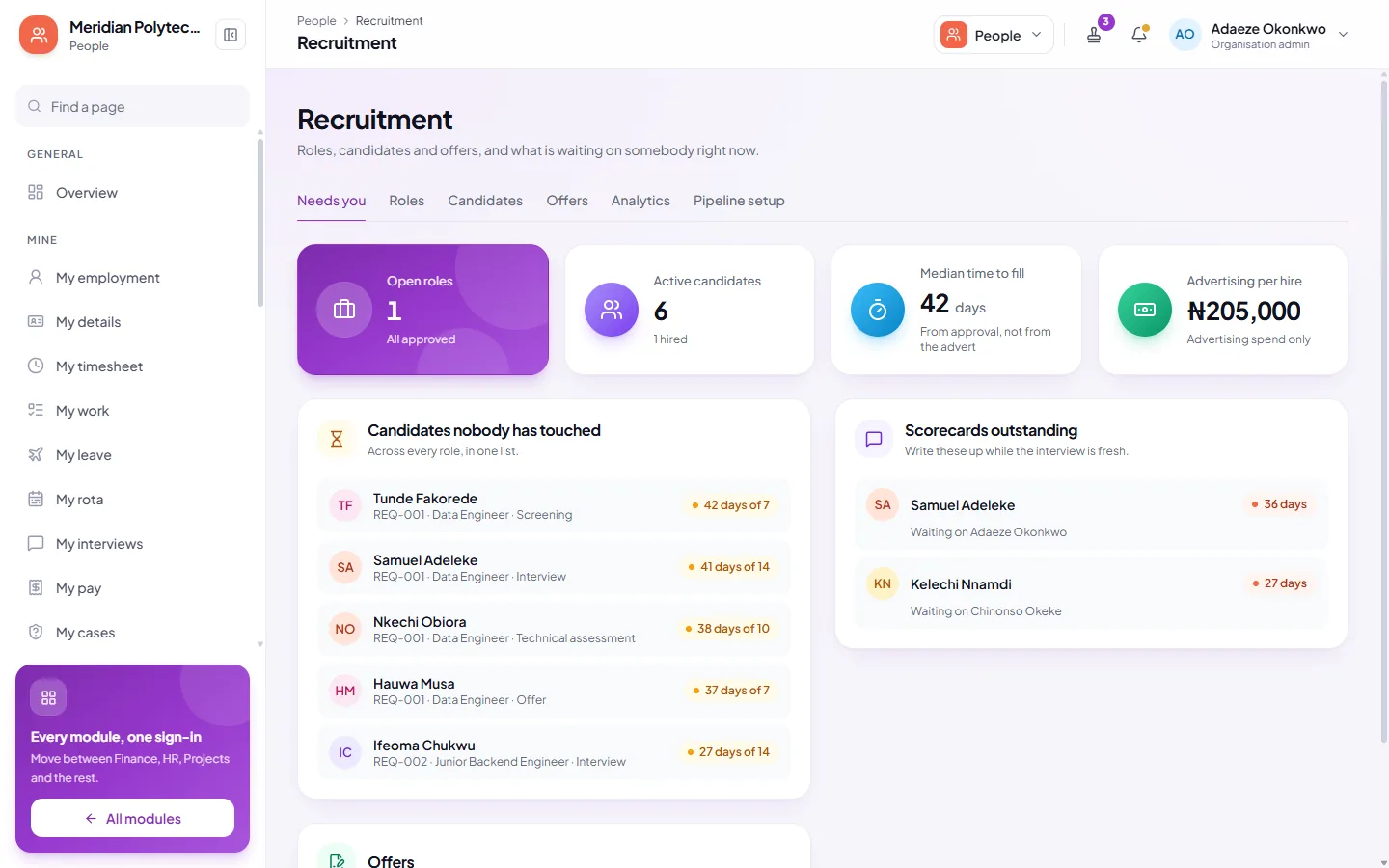
Approved roles, candidates by stage, interview panels with their scores, and offers. Whoever accepts becomes an employee without retyping a thing.
Performance
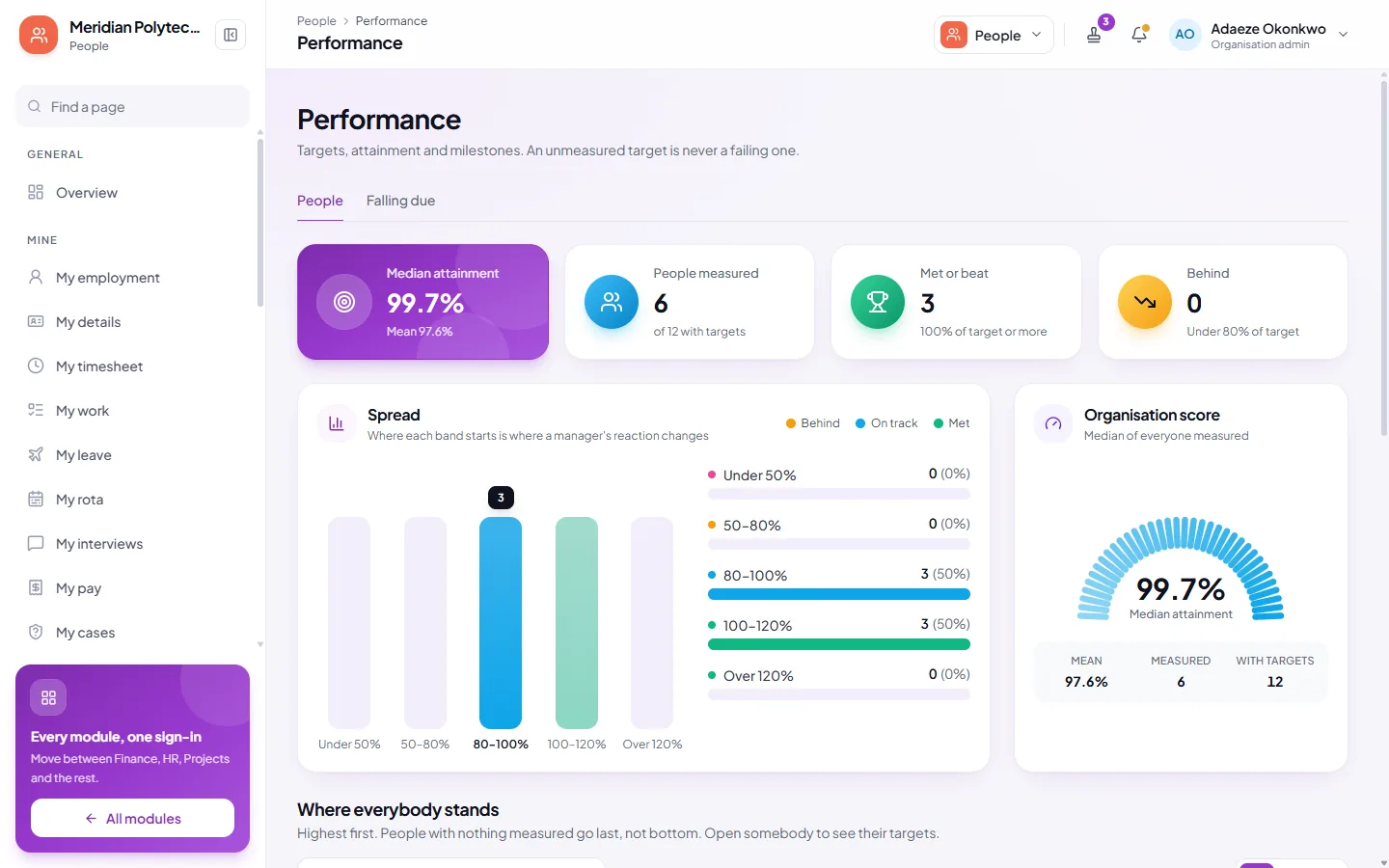
Goals and KPIs with readings against target, and appraisals that pull them in. Supervisors see exactly what is due for their own team.
One record
Seven stages, one employee record. Every stage writes to the same person, so nobody has to match a staff list against a payroll register at month end.
Requisition, candidates and interviews, all the way to an accepted offer
Checklist, induction courses and probation tracked to confirmation
Rota, attendance, timesheets and leave, all against one balance
KPIs, appraisals and finished training, on the same record
Statutory deductions, employer cost and a journal posted to Finance
Contract renewals and role changes, kept in the person's history
Clearance and final pay, held until assets and advances are settled
The problem

The staff list lives in one system, leave in a spreadsheet, payroll with a bureau and training somewhere else. Each choice makes sense on its own. Together they leave a company where no two systems agree on headcount, and the honest answer to “how many people work here?” is “which number do you want?”
The real cost is not the licences. It is that every useful question needs a reconciliation first. A leaver still on the payroll. A promotion the org chart never heard about. A compliance course finished in a training tool that never reached the employee record, so at audit time that person looks untrained.
XwiftHQ HRM keeps one employee record for the whole company. The other modules read it instead of copying it: project teams are staffed from it, payroll posts its journal to the books Finance closes on, and a leaver's final pay waits until Operations confirms the laptop is back and Finance confirms the advance is settled. There is nothing to reconcile between the modules, because nothing sits between them.
How it works
These figures are drawn rather than captured, and every number in them is illustrative.
Create each person once. Everything after that lands on the same record: contract and renewals, probation, leave balances, payslips, appraisals, cases and completed training. There is no second roster to reconcile, because there is no second roster.
Departments, reporting lines and job titles come from the same organisation structure the rest of the suite uses. Supervisors see their people under My team, and a reorganisation updates every approval route at once.
Managing Director
Top of the structure
Operations
Director
Finance & Admin
Director
People
Director
Regional Coordinator
M3 · filled
Payroll Officer
M2 · filled
HR Officer
M2 · vacant
Dashed box: an approved role that is still open
Rotas, attendance, timesheets and leave are one subject, not four. A day approved as annual leave cannot also show up as an unexplained absence, and overtime worked is overtime paid in the next run.
Requests go to the supervisor first, then wherever your approval rules send them, all through the same approvals inbox every module uses. Staff see their balance before they ask.
Operations · September
IllustrativeEach payroll run calculates gross pay, statutory deductions (PAYE, pension and NHF) and the total cost to the company once employer contributions are added. Overtime and approved adjustments flow in from the rest of HRM, so nobody retypes them.
Approve the run and its journal goes to XwiftHQ Finance, on the same chart of accounts you close the month on. Payroll cost shows up in the books and in each project's labour figures, with no spreadsheet in between.
Payroll run · September
Illustrative148 employees · 1 entity · naira
General ledger journal
JV-0912
Balanced on both sides₦20,262,000
When someone leaves, HRM runs the clearance: exit interview, access revoked, final settlement. Final pay stays on hold while the asset register in XwiftHQ Admin shows them holding company property, or Finance shows an advance they have not retired.
Before that, employee relations live here too. Employees can raise grievances directly, disciplinary cases move through the process stage by stage, and warnings expire on the date set when they were issued.
Leaver · last working day 31 Oct
IllustrativeFinal pay held: 2 items still open in Admin and Finance
Everything in it
Every area of the module, grouped the way you will find it in the product.
Who uses it
Everyone in the company has a place in HRM. These four work in it every day.
The whole employee lifecycle, and the numbers behind it.
Their own people under My team: approvals, cover and reviews.
Their own record, without sending a single email.
The pay run, the statutory schedules and the ledger posting.
One dataset
Each of these starts in one module and finishes in another. They work because one organisation, one set of permissions and one audit trail sit under all five.
Connected
People are what every module needs and what none of them should own.
Each payroll run posts its journal by cost centre and is paid on a bank file. Unretired advances in Finance hold a leaver's final pay until they're cleared.
Joiners get assets on a handover note. Leavers return them on exit clearance, and anything missing becomes a final-pay deduction with no re-keying.
Project teams come from the same staff and job titles, so someone's role on a project and their HR record always describe the same person.
Mandatory training and its due dates sit beside the employee record. Compliance shows up in the appraisal without moving a rating on its own.
Questions
Yes. Onboarding, contracts, probation, leave, attendance, rotas, timesheets, payroll, recruitment, performance, employee relations and leavers all run on real data today.
Each run produces payslips and a journal split by cost centre. Finance posts the journal to the general ledger and pays net pay on a bank file. No spreadsheet in between.
Yes. Supervisors see their own team and approve leave and timesheets. Your approval workflow decides who can approve what.
Exit clearance. Unreturned assets from Admin & Operations and unretired advances from Finance both block final settlement until they're cleared or deducted.
Yes. Every record is scoped to an organisation, and that boundary is enforced in the API, not just the interface.
Onboarding, contracts, leave, attendance, hiring, performance, payroll and exits all share one employee record, so nothing is typed twice.