From requisition to goods received
A purchase request gathers quotations, gets awarded, becomes a purchase order and is received on a GRN or a service completion certificate. The invoice that follows is matched against all of it.
XwiftHQ Admin
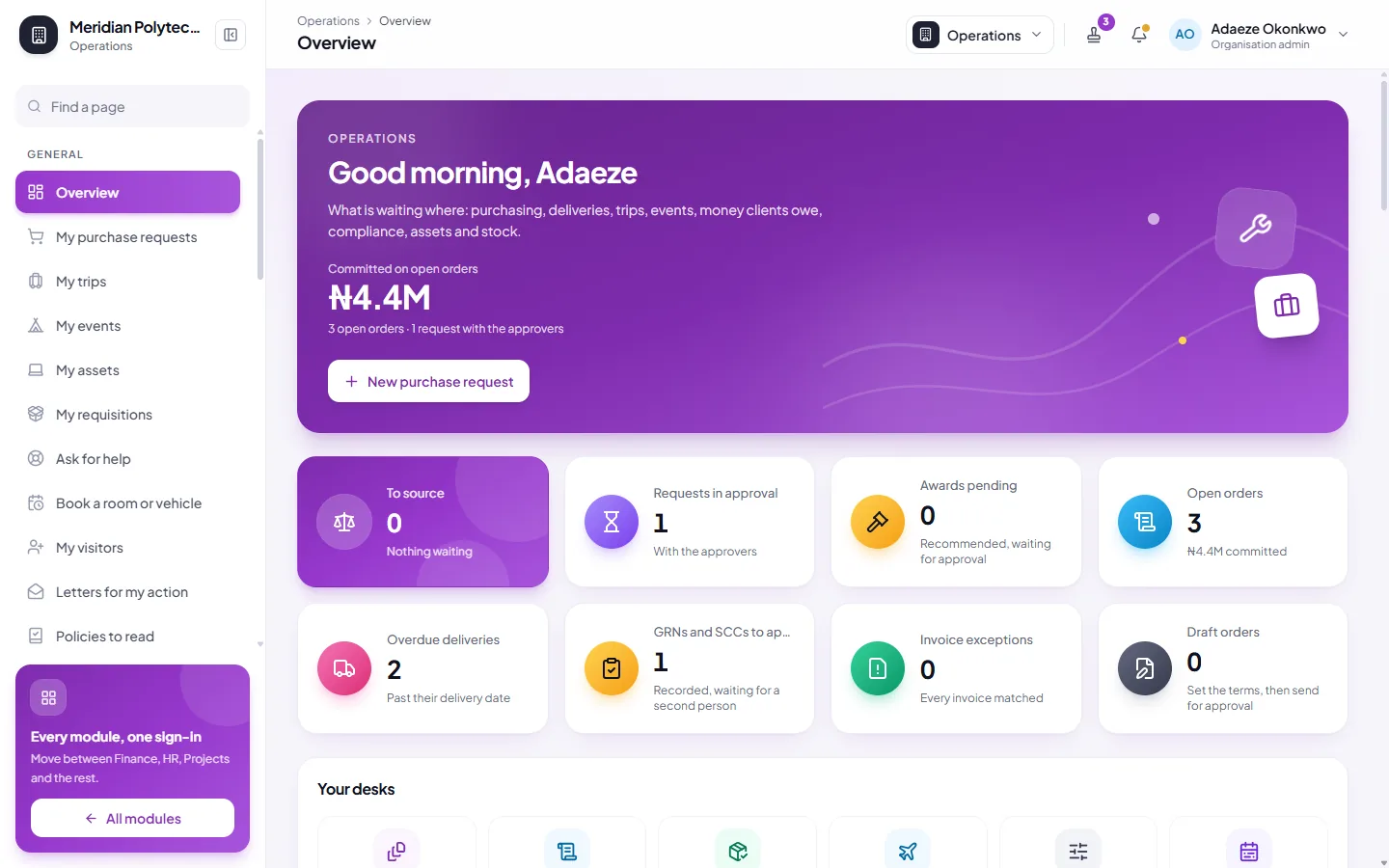
Procurement from requisition to goods received, the travel desk, events, the asset register, stores and stock, maintenance, facilities, fleet, the service desk, compliance and controlled documents. Everything it takes to run your company day to day, on the same approvals and the same books.
Facts about how the module is built, each one something you can check in the product.
What it does
Buying, travelling, looking after assets, maintaining and proving compliance. Each has an owner, an approval and a record.
A purchase request gathers quotations, gets awarded, becomes a purchase order and is received on a GRN or a service completion certificate. The invoice that follows is matched against all of it.
Trips are priced against travel grades, and advances go in with the request. Bookings and changes are recorded, and the trip report closes the loop. Events and workshops carry budgets of their own.
Register, tag and hand over assets with a note the receiver acknowledges. With gate passes, verification counts and exit clearance, a leaver's laptop is a line on a list, not a hunt.
Stock ledgers, requisitions, counts approved by a second person and reorder alerts. Maintenance plans and work orders. Vehicles with their papers and bookings.
A compliance calendar for filings, licences and renewals. A bid pack you download in one go. Controlled documents with versions, owners and disposal on approval.
A service desk for internal requests, a correspondence register, visitor pre-registration and a document repository. The things every office runs, in the same place as everything else.
Inside the product
Captured from a demo company's live records. Pick a screen to see what it does.
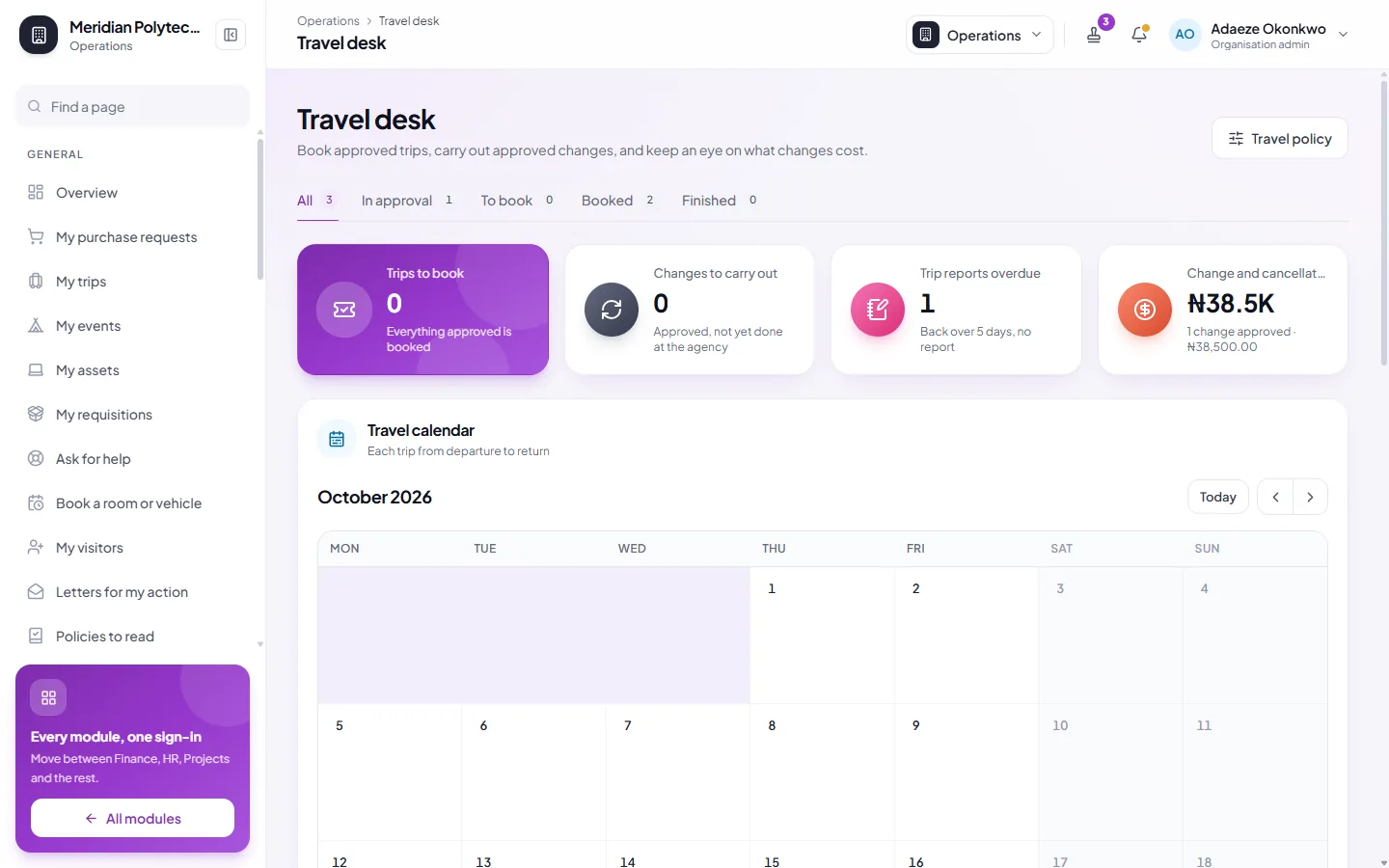
Travel
Trips priced by the policy for each grade, advances raised, bookings and changes on record, plus a calendar of who is away.
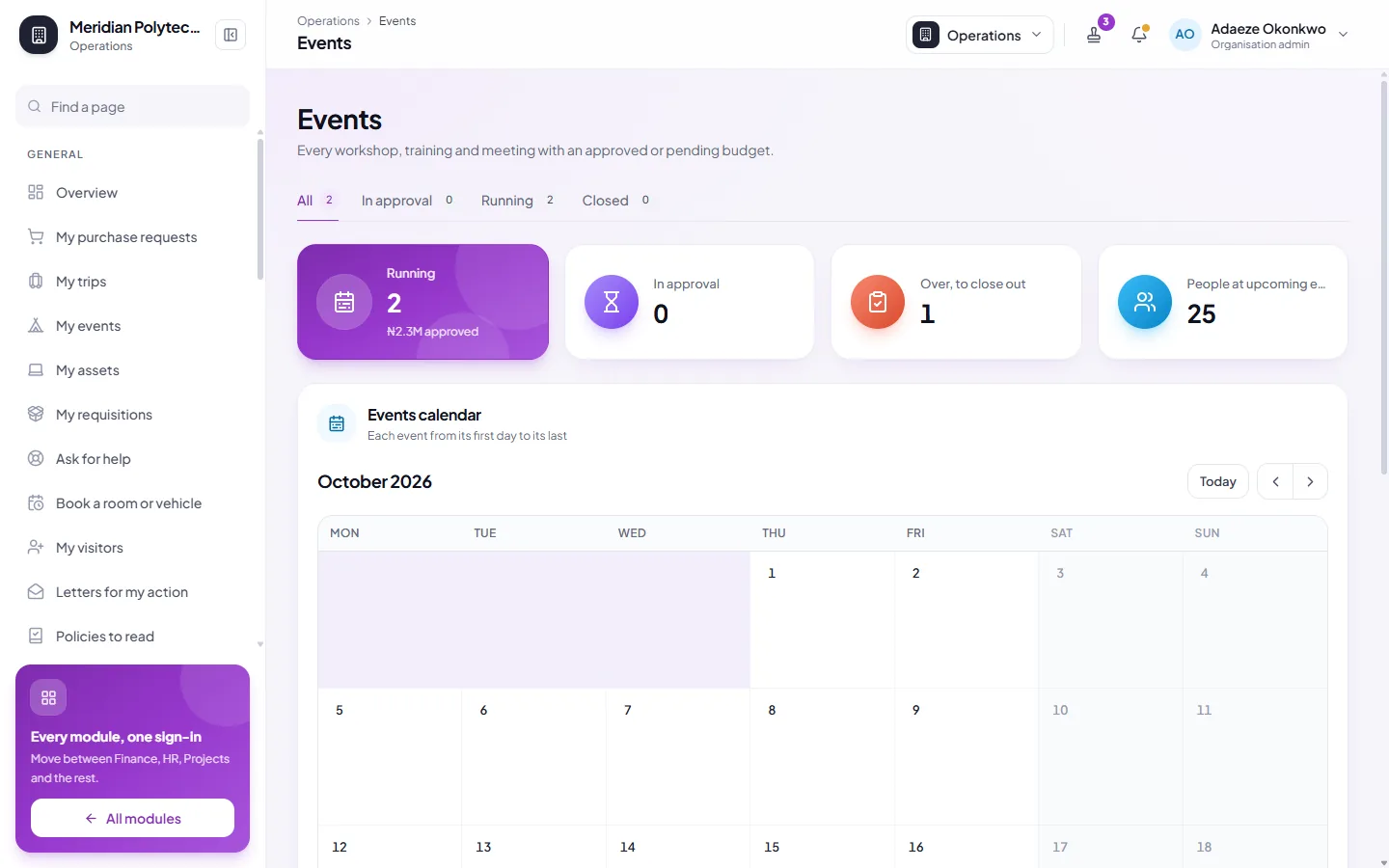
Events
Every event has a budget, and its lines feed the purchases, trips and advances that deliver it, charged to the right project.
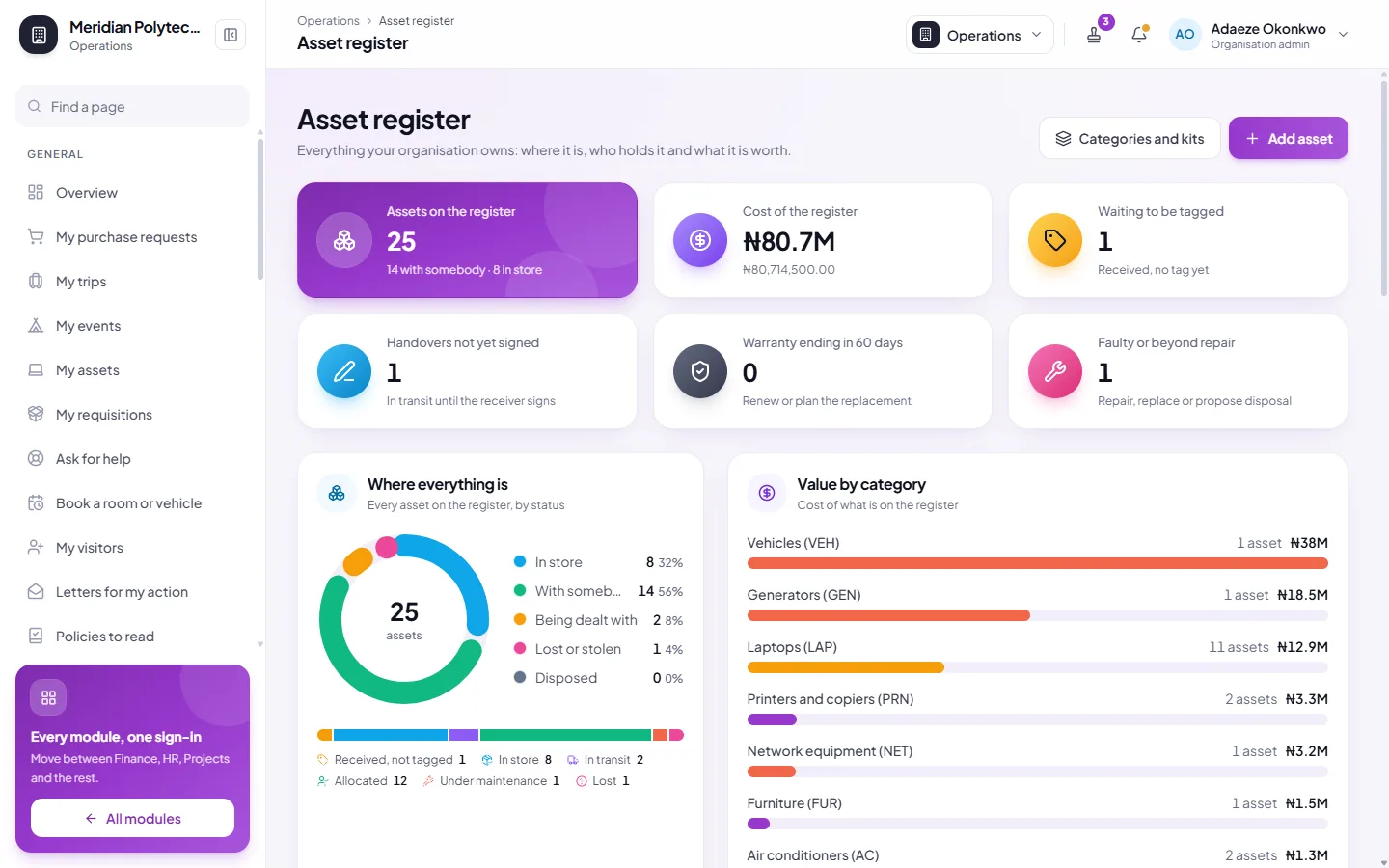
Assets
Each asset has a custodian and a full history: handovers, gate passes, checks and exit clearance tied to final pay.
Stores
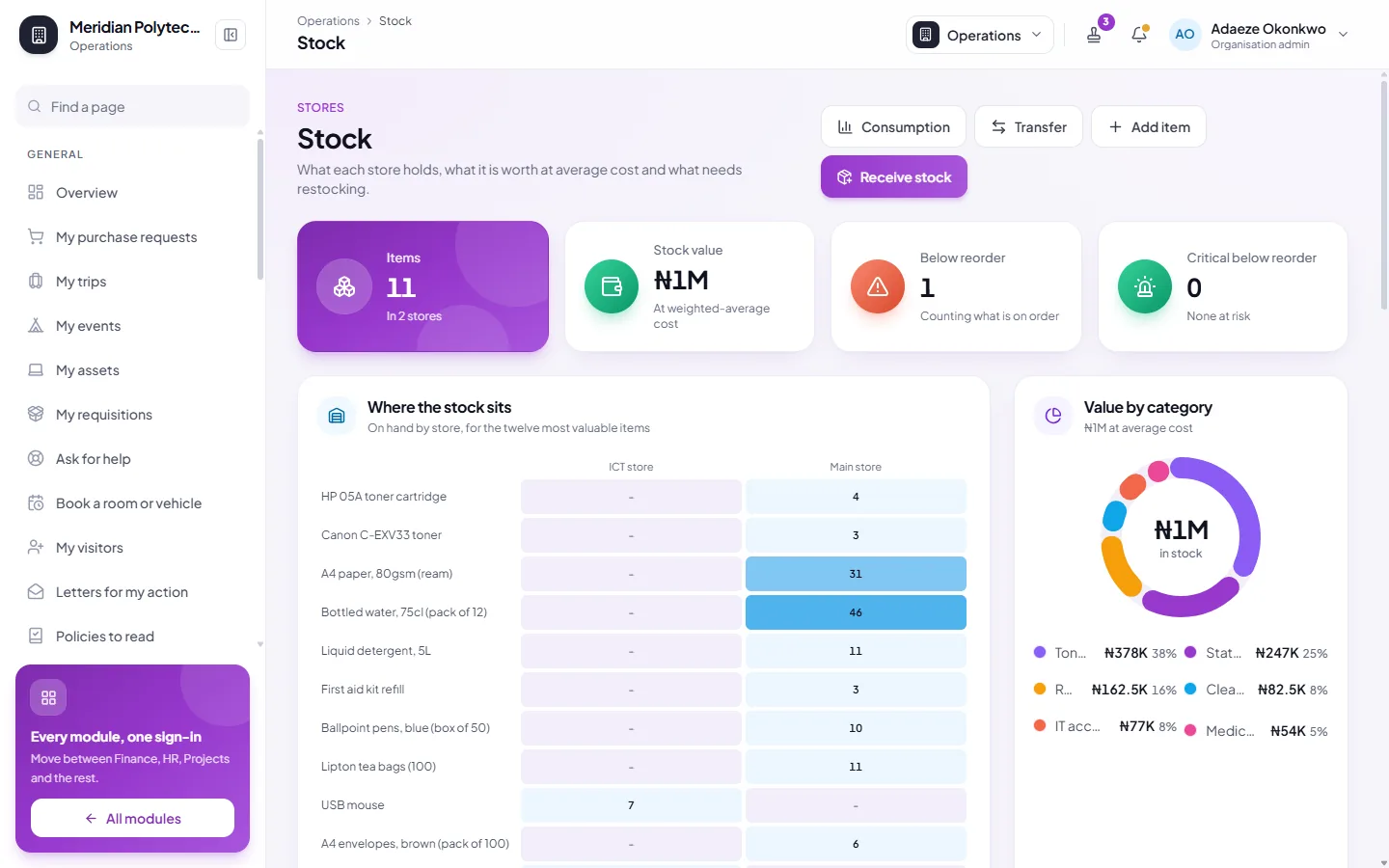
A stock ledger behind every item. Requisitions are issued on an SIV, counts are approved by a second person and reorder levels are checked every hour.
Fleet
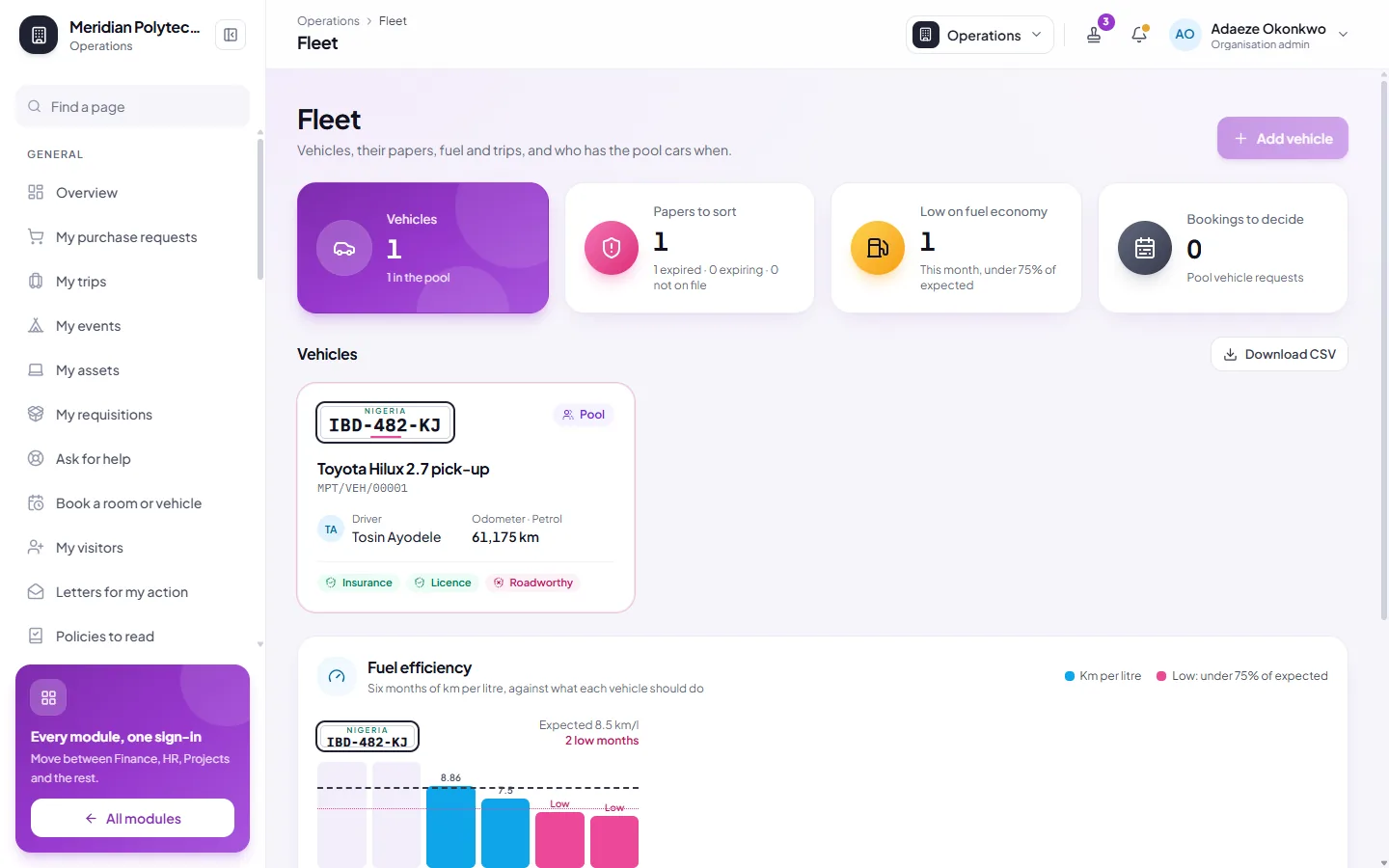
Vehicle papers sit on the compliance calendar, bookings and trips are logged, and servicing is raised as a work order.
Shared foundations
Operations runs on the same organisation, approvals and audit log as Finance, HR and Projects. You set it up once for the whole company.
Approvals
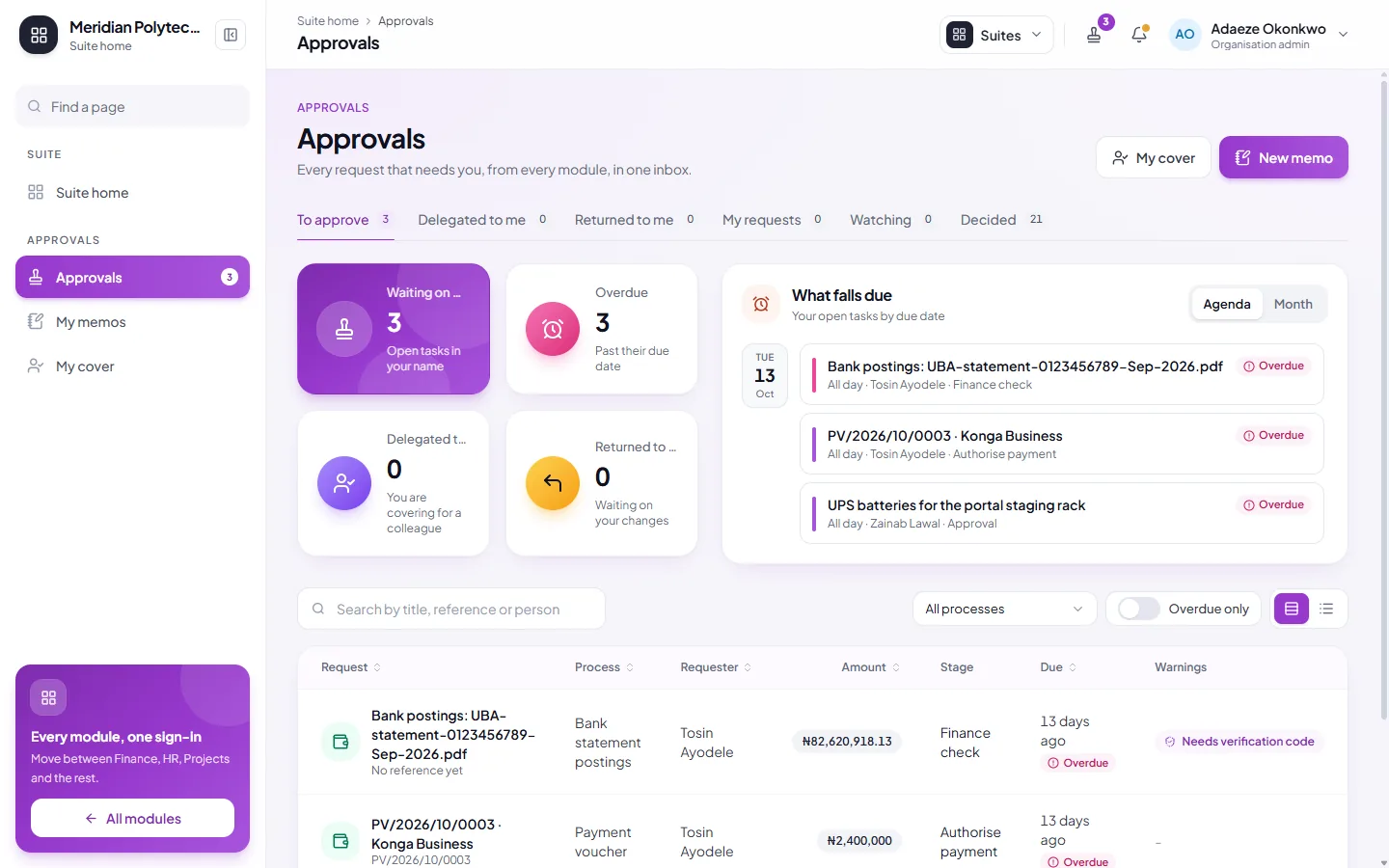
Purchase requests, trips, events, asset requests and stock issues wait beside leave, memos and vouchers. Each one follows the rules your organisation sets: head of department first, then the managing director above a set amount.
Organisation console
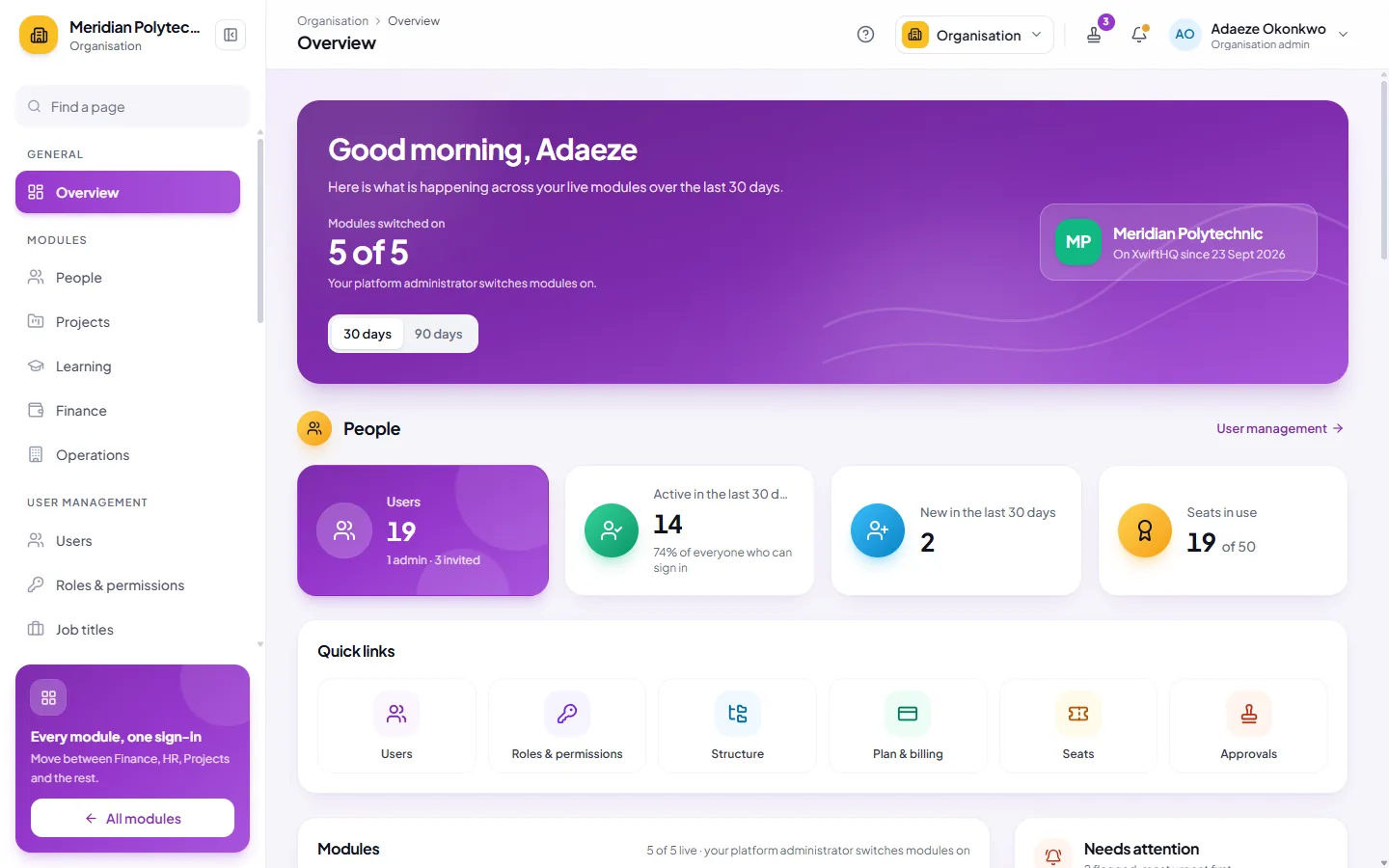
Departments, units, cost centres, roles, approval policies and document numbering live in one console. Every module reads the same structure, so nobody keeps a second copy.
The case
Most companies never give operations a system, so the work ends up in email, a WhatsApp group and a shared drive. Which vendor quoted lowest? Who travels on Thursday, and on what allowance? Who has the laptop? Is the generator service due, and has the vehicle's insurance lapsed?
None of it is hard. All of it costs money. And all of it stays out of sight until it fails an audit, overspends a project, or someone leaves and nobody knows what they were holding.
XwiftHQ Admin & Operations runs that work for your whole company. Purchasing, travel, events, assets, stores, maintenance, premises, fleet, documents and compliance. Every request follows your own approval rules, and anything charged to a project is committed against that project's funds in Finance before any money moves.
Operations is the chassis every other module runs on. When it is solid, nobody notices it, and that is exactly how it should feel.
How it works
Four parts of the module, and what each one produces for Finance, HR and Projects to rely on.
Block 01
A purchase request says what you need, what it costs and which project or cost centre pays for it. Quotations come back against a request for quotation, the award is recorded, and the order goes out as a numbered LPO or LSO. When it changes, it is revised, never overwritten.
Goods arrive on a GRN and services on a completion certificate, so every vendor invoice meets an order and a receipt before anyone is asked to pay. A match becomes a payment memo in Finance. A mismatch is held, with the reason attached.
Matching
Three-way match
Matched
1 of 2 lines matched. 1 line held.
Toner cartridges: ordered 12, received 10, billed 12. Held for review before any payment memo is raised. The matched line moves on to Finance.
Block 02
Every asset has a custodian and a trail: handover notes the receiver acknowledges, gate passes when it leaves the building, and verification campaigns that prove it is still there. When someone leaves, exit clearance lists what they hold and settles it against their final pay.
Stores run on a stock ledger. Requisitions are issued on an SIV, counts are approved by a second person, and reorder levels are checked every hour. Maintenance plans raise work orders, with a warranty check before any paid repair. Leases raise rent memos. Service contracts are paid only after a monthly confirmation. Fleet papers sit on the compliance calendar.
Asset lifecycle
Stage 2 of 5 · Assigned
612,000 net book value in Finance's fixed asset register. One asset, two views: operational here, depreciating there.
Block 03
Travel follows a policy by grade. Daily allowance, hotel and taxi rates are worked out for you, the advance is raised and bookings are made. Any change after approval carries its fee and needs its own approval. Every trip ends with a report, and the travel calendar shows who is away.
Events, workshops and client engagements carry a budget, and its lines feed the purchases, trips and advances that deliver them. Every request follows the approval rules your organisation sets (head of department first, the MD above a set band) and commits against the project it is charged to.
Delegated authority matrix
Published · v4
| Value band | Facilities | IT & assets | Fleet | Professional services |
|---|---|---|---|---|
| Up to 500,000 | Facilities Officer | IT Officer | Fleet Officer | Head of Admin |
| 500,001 to 2,000,000 | Head of Admin | Head of Admin | Head of Admin | Head of Admin |
| 2,000,001 to 10,000,000 | Finance Director | Finance Director | Finance Director | Finance Director |
| Above 10,000,000 | Managing Director | Managing Director | Managing Director | Board committee |
Scroll sideways to see more
Every module reads from this table. Raise a limit for procurement and it rises for Finance payment runs at the same moment. Every decision made against it lands as one entry in the shared audit log.
Block 04
Every document lives in one repository. Controlled documents (policies, procedures, forms) are approved before they are issued and versioned when they change. The people they apply to acknowledge them, against the exact version they read.
Licences, permits, insurances and registrations sit on a compliance calendar with daily alerts. Need a bid pack? The current certificates download as one ZIP. Outgoing letters are numbered in the correspondence register, and visitors are pre-registered with a badge ready.
Policy to evidence
One module, one trail
Every policy, procedure or form is approved before it goes out, and versioned when it changes.
v3.2 · approved
Each person reads and signs off on the version that applies to them.
Per person, per version
Licences, permits, insurances and vehicle papers carry due dates, with an alert every morning until they are renewed.
Daily alerts
Current certificates download as one ZIP, and the audit log records who, which version and when.
One shared trail
No more chasing signatures. Your evidence is a dated acknowledgement against a specific version, which is exactly what the auditor asked for in the first place.
Everything in it
Every register and the workflow that keeps it up to date, written down rather than implied.
Who uses it
The roles that open Operations every day, and the queue each of them comes to clear.
The big picture: what is being bought, who is travelling and what falls due next.
Every step from purchase request to matched invoice.
This week's trips, and the requests still waiting to be booked.
Stock levels, pending issues and who is holding what.
One dataset
The flows across modules that start in or pass through Operations. Each step names the module that acts.
Connected
One identity, one structure, one approvals engine and one audit log. That is why none of this needs an integration.
Purchases, trips and events commit against their budget the moment they're approved. Invoices reach Finance already matched to the order and goods received.
Joiners get their assets on a handover note. Leavers clear them on exit clearance, and anything unreturned flows into HRM final pay as a deduction.
Trips, events and purchases are charged to a project at request, so the project's Finance tab shows what was spent on it, and by whom.
Policies published as controlled documents can sit next to a mandatory course, so staff read the policy and finish the training in one place.
Questions
Yes. Procurement, travel, events, assets, stores, maintenance, facilities, fleet, the service desk, compliance and documents all run on real data today.
No. The organisation console is where you set up the company: users, roles, structure, approval workflows, numbering and branding. Admin & Operations is where the daily running happens: buying, travelling, holding assets and keeping the office compliant.
On the suite's approval engine. You define the levels and amount bands once, approvers see every request in one inbox, and delegation covers anyone who's away.
They show up on the leaver's exit clearance. Anything not returned becomes a deduction in HRM final pay, and final pay stays blocked until the clearance is settled.
Yes. Each request picks a project or cost centre, commits against its funds once approved, and appears in that project's expected-against-actual figures.
Operations shares one login, one approvals inbox and one audit log with every other XwiftHQ module.